> Full Neon documentation index: https://neon.com/docs/llms.txt
# ChatGPT + Neon MCP Server, Neon Testing, Neon Otel + New Relic, and more
## ChatGPT + Neon MCP Server
You can now connect ChatGPT to the **Neon MCP Server** using custom Model Context Protocol (MCP) connectors.
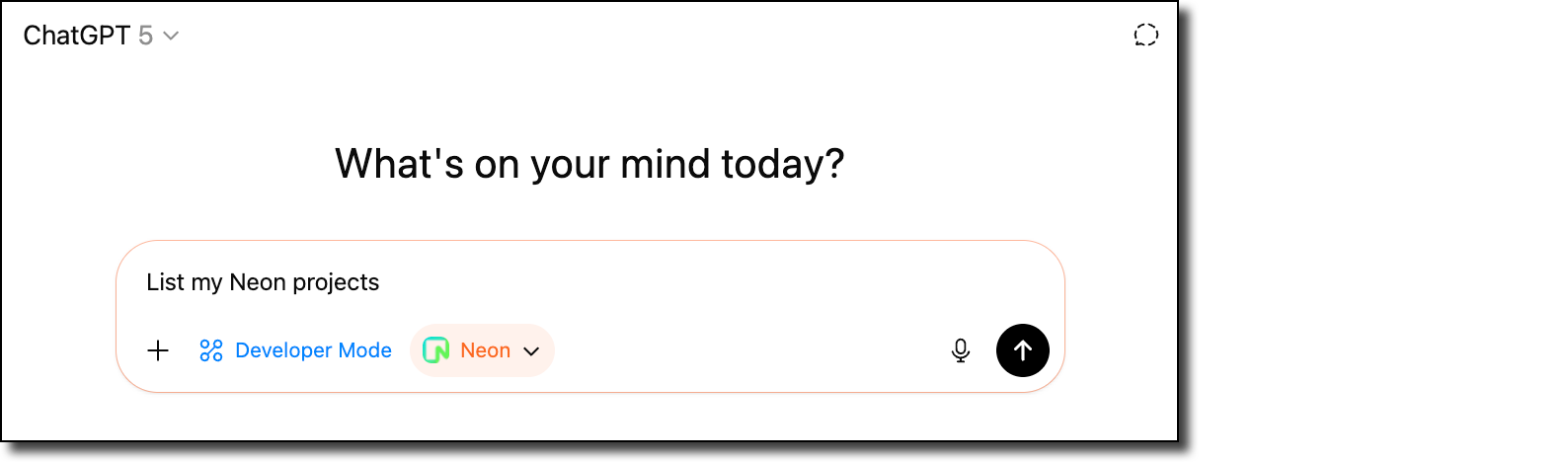
This integration makes it easy to extend ChatGPT with Neon's database capabilities so you can query, manage, and interact with your Neon projects directly within ChatGPT.
👉 [Read the blog](https://neon.com/blog/manage-neon-databases-from-chatgpt) to get started.
## Community: Neon Testing – Vitest library for integration tests
We're excited to share **[Neon Testing](https://www.npmjs.com/package/neon-testing)**, a community-built library by [Mikael Lirbank](https://www.lirbank.com/) that makes it easy to run integration tests against Neon databases.
Instead of relying on mocks or maintaining local test databases, Neon Testing uses Neon's branching to provision **disposable Postgres test databases** for each test file. This means your tests run against the same schema and constraints as production, catching issues that mocks can miss (like unique constraint failures and transaction rollbacks).
- Read the blog: [Neon Testing: a Vitest Library for Your Integration Tests](https://neon.com/blog/neon-testing-a-vitest-library-for-your-integration-tests)
- Install from npm: [neon-testing](https://www.npmjs.com/package/neon-testing)
- Learn more about the project: [Mikael's website](https://www.lirbank.com/)
## Neon OTel integration + New Relic
Neon's [OpenTelemetry (OTEL) integration](https://neon.com/docs/guides/opentelemetry) has a new step-by-step guide for sending your Neon project's metrics and Postgres logs to [New Relic](https://newrelic.com/), a cloud-based observability platform that helps developers and organizations monitor, debug, and optimize the performance of their applications and infrastructure.
Check out the guide from contributor _Dhanush Reddy_: [Getting started with Neon and New Relic](https://neon.com/guides/newrelic-otel-neon).
## Improved Neon Docs navigation
We've introduced a new horizontal navigation bar in the [Neon Docs](https://neon.com/docs/introduction) to make it easier to find what you need. You can now quickly scan across the top-level menus, each with a dropdown of related topics. When you select a menu item, a dedicated left-hand sidebar for that topic area opens, giving you a clear view of everything available within that section.
This update improves discoverability and helps you move through the docs more efficiently.

**Backup & restore**
- On the **Backup & restore** page in the Neon Console, snapshots are now listed with a more user-friendly branch name instead of the branch ID value.
- The **Restore branch modal** now shows the new branch expiration time that will be set when restoring a branch configured to expire.
**Neon Console**
- We adjusted the warning message on the **Edit compute** modal about connection disruptions when changing the compute size. The warning message now only appears when compute size values are modified.
- Fixed an issue where the **Branch expiration** modal would close without notice if an error occurred. The modal now remains open and displays the error message.
**Vercel**
- On the **Branch overview** page for users of the native Vercel integration, the **Open preview deployment** link now correctly directs to Vercel deployment page instead of the application page.
- You can now open the **Branch overview** page in the Neon Console for a preview deployment branch directly from the Vercel deployment page.