




Lakebase Search is the search primitive of the Neon backend. One of the best things about it is that it ranks keyword results with BM25; that said, BM25 can only score the terms it's given. What a search can find is decided earlier, when the text is split into terms - a step called tokenization.
Postgres lets you customize that step, but not from SQL. Its synonym and stop-word dictionaries read their entries from text files in a folder on the database server - teaching Postgres that "k8s" means "kubernetes" means putting a file on that machine. The limitation is that a managed Postgres service you connect to the database, not the server, so you can't add those files and you're limited to the lists that ship with Postgres.
The new lakebase_tokenizer extension, now packaged with Lakebase Search, moves that configuration into SQL tables. You define synonyms and stop words with INSERT, and they flow into GIN and lakebase_bm25 indexes like any other tsvector.
Like everything in the Neon universe, it branches. If you branch your database, all its Lakebase Search configuration comes along, tokenizer included - so for example, you can test a new synonym set on a branch before shipping it.
A quick refresher on Lakebase Search
Lakebase Search adds vector, keyword, and hybrid search to Lakebase Postgres through Postgres extensions:
lakebase_vectoradds thelakebase_annindex for vector similarity search. It uses the samevectortypes and operators aspgvector, so there's no migration.lakebase_textadds thelakebase_bm25index for full text search. It works on standardtsvectorcolumns and adds BM25 ranking and top-K pushdown, which GIN withts_rankdoesn't have.lakebase_tokenizeris the newest piece we're discussing. It controls how text becomes the terms thatlakebase_bm25(and GIN) index.
Lakebase Search introduces new indexes specifically designed for the lakebase architecture, where compute is ephemeral and storage is durable and shared. A Lakebase Search index lives in storage rather than in compute memory, it's available right after a cold start with no warmup, and it shows up on every new branch without a rebuild.
This post is about the full text search piece of Lakebase Search - specifically, about the step that runs before any ranking happens.
Your dictionaries shape your search results
Postgres full-text search doesn't index raw text. It runs each document through a text-search configuration and stores the result as a tsvector: a sorted list of normalized tokens (Postgres calls them lexemes).
Here is what the built-in english configuration produces for a short support ticket:
SELECT to_tsvector('english', 'Rotating Postgres credentials in the Zürich region');'credenti':3 'postgr':2 'region':7 'rotat':1 'zürich':6A few things happened here:
- Words were lowercased
- "in" and "the" were dropped as stop words
- The remaining words were stemmed ("credentials" became
credenti) - The accent in "Zürich" was kept
Queries go through the same process. A document matches when its tokens match the query's tokens, and BM25 then scores that overlap. So if a document and a query describe the same thing with different tokens, no ranking function can connect them. However good BM25 is, it never sees a match.
Adding your own dictionary to Postgres
The changes in the previous example (lowercasing, dropping stop words, stemming) don't come from the tsvector type itself - they come from Postgres' dictionaries. These built-in dictionaries handle general language well, but they can't know your application's vocabulary. E.g. your users might use "k8s," "kube," and "Kubernetes" for the same thing.
On a self-managed server, adding your own dictionary would be easy - you'd simply copy a file into that directory. On a hosted service like Neon, you connect to the database, not the server, so you can't add files to its disk.
The lakebase architecture makes this even stricter. In Lakebase Postgres, compute nodes don't hold durable state - they scale to zero, restart, and get replaced. A file on one compute's disk would disappear with that compute and wouldn't exist on a new branch, so search configuration needs to live in the database itself.
How lakebase_tokenizer works
We built lakebase_tokenizer so you can add your own dictionaries to Lakebase Search and get more out of BM25.
Your words live in two tables that the extension creates: lakebase_tokenizer_synonyms and lakebase_tokenizer_stopwords. Rows are grouped into named sets, and a set can hold up to 100,000 rows.
Adding a dictionary takes four steps, all in SQL:
- Add your words:
INSERTsynonyms (k8s→kubernetes) and stop words into a named set. - Create a dictionary: Build it from the extension's
tokenizer_wholewordtemplate, and choose your sets plus options such as accent stripping and stemming. - Create a text-search configuration that sends words to your dictionary
4 Use it: Pass the configuration to
to_tsvector, and index the result with GIN orlakebase_bm25as usual
Example: searching through support tickets
Say you run a developer tool, and you want your support engineers (or agents) to search past tickets. Your users write those tickets in their own words:
| id | body |
|---|---|
| 1 | Kubernetes pods crash-looping after the node upgrade |
| 2 | K8s ingress returns 502 errors on every deploy |
| 3 | Kube scheduler keeps evicting pods, they crash on restart |
| 4 | Rotating Postgres credentials in the Zürich region |
| 5 | PostgreSQL connection pool exhausted during the nightly batch |
| 10 | PG creds expired, cannot connect from CI |
So here's what happens when a support engineer searches using the built-in english configuration:
| Query | Should find | Matches? |
|---|---|---|
k8s crash | Ticket 1 | No |
zurich postgres | Ticket 4 | No |
pg credentials | Ticket 4 | No |
Let's fix it.
1. Install the Lakebase Search extensions
CREATE SCHEMA IF NOT EXISTS tokenizer_ext;
CREATE EXTENSION IF NOT EXISTS lakebase_tokenizer WITH SCHEMA tokenizer_ext;
CREATE EXTENSION IF NOT EXISTS lakebase_text;
2. Add your vocabulary
INSERT INTO tokenizer_ext.lakebase_tokenizer_synonyms (name, word, synonym) VALUES
  ('support_syn', 'k8s',         'kubernetes'),
  ('support_syn', 'kube',        'kubernetes'),
  ('support_syn', 'kubernetes',  'kubernetes'),
  ('support_syn', 'pg',          'postgres'),
  ('support_syn', 'postgresql',  'postgres'),
  ('support_syn', 'postgres',    'postgres'),
  ('support_syn', 'creds',       'credential'),
  ('support_syn', 'credentials', 'credential'),
  ('support_syn', 'credential',  'credential');
INSERT INTO tokenizer_ext.lakebase_tokenizer_stopwords (name, word) VALUES
('support_stop', 'the'), ('support_stop', 'a'), ('support_stop', 'in'),
('support_stop', 'of'), ('support_stop', 'to'), ('support_stop', 's'),
('support_stop', 'hi'), ('support_stop', 'please'), ('support_stop', 'help');3. Create the dictionary and the configuration
CREATE TEXT SEARCH DICTIONARY support_dict (
  TEMPLATE     = tokenizer_ext.tokenizer_wholeword,
  Lowercase    = 'true',
  StripAccents = 'true',
  Stemmer      = 'english',
  Stopwords    = 'support_stop',
  Synonyms     = 'support_syn'
);
CREATE TEXT SEARCH CONFIGURATION support_cfg (COPY = pg_catalog.simple);ALTER TEXT SEARCH CONFIGURATION support_cfg
ALTER MAPPING FOR asciiword, word, numword, hword_numpart, hword_part, hword_asciipart
WITH support_dict;4. Use it in a column and index it
You would now gnerate a tsvector column with the new configuration and index it with lakebase_bm25.
CREATE TABLE tickets (
  id   BIGSERIAL PRIMARY KEY,
  body TEXT NOT NULL,
  tsv  TSVECTOR GENERATED ALWAYS AS (to_tsvector('support_cfg', body)) STORED
);
-- load tickets, then:
CREATE INDEX tickets_bm25 ON tickets USING lakebase_bm25 (tsv);The Zürich ticket from earlier now produces these tokens:
'credential':3 'postgres':2 'region':7 'rotat':1 'zurich':6Before and after, ranked by BM25
To compare the two approaches, we loaded all ten tickets (the six above plus four unrelated ones) and gave the table a second column that uses Postgres' built-in english configuration, with its own BM25 index:
ALTER TABLE tickets
 ADD COLUMN tsv_default TSVECTOR GENERATED ALWAYS AS (to_tsvector('english', body)) STORED;
CREATE INDEX tickets_default_bm25 ON tickets USING lakebase_bm25 (tsv_default);
Then we ran the same query against both indexes. Here it is against the support_cfg index:
SELECT id, body
FROM tickets
ORDER BY tsv <@> to_bm25query(to_tsvector('support_cfg', 'pg creds zurich'), 'tickets_bm25')
LIMIT 5;
With the built-in english configuration, one ticket matches:
| Rank | Ticket | BM25 score |
|---|---|---|
| 1 | PG creds expired, cannot connect from CI | -4.012 |
With support_cfg, three tickets match:
| Rank | Ticket | BM25 score |
|---|---|---|
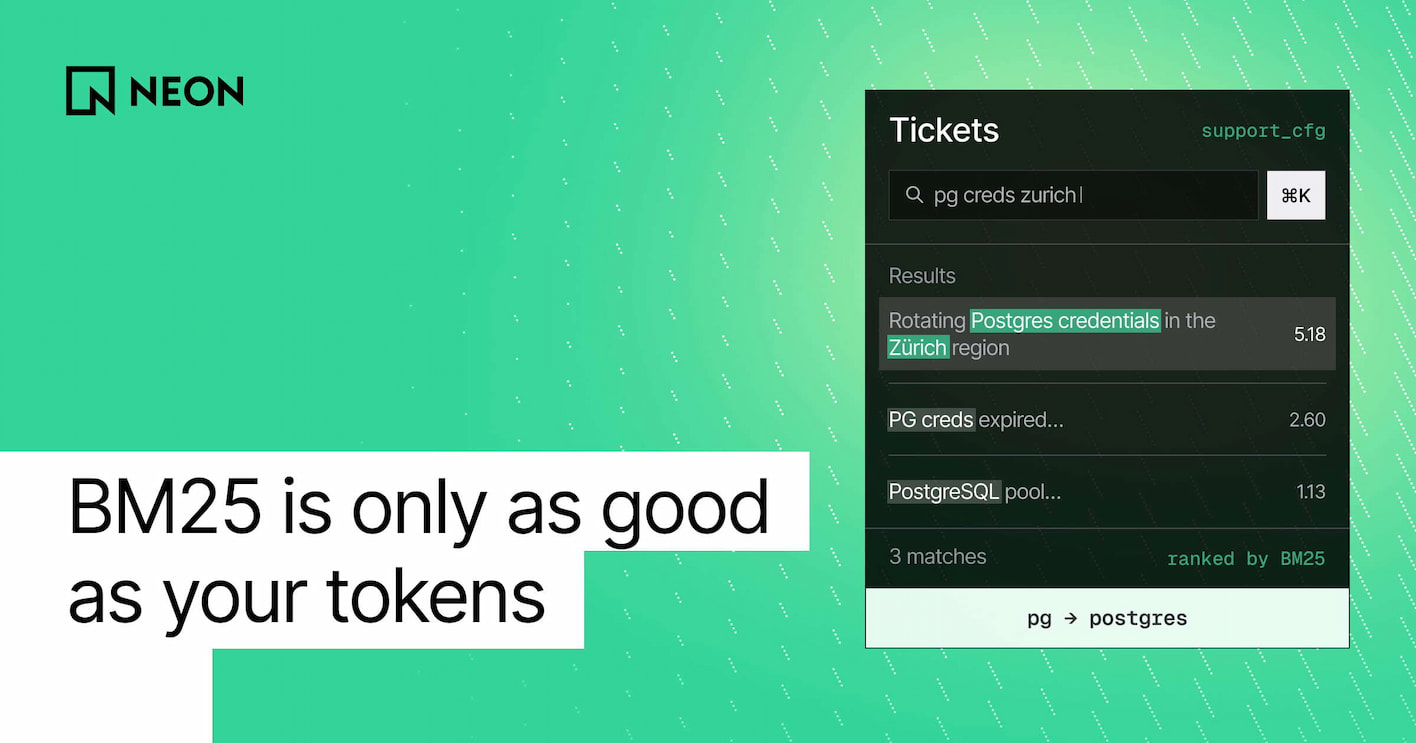
| 1 | Rotating Postgres credentials in the Zürich region | -5.180 |
| 2 | PG creds expired, cannot connect from CI | -2.596 |
| 3 | PostgreSQL connection pool exhausted during the nightly batch | -1.132 |
Reading BM25 scores
BM25 gives each document a positive relevance score: 0 means no query terms matched, and higher means more relevant. The <@> operator returns that score with a minus sign, so you can sort with ORDER BY ... ASC, the same way you sort by distance. A score of -5.180 is a stronger match than -1.132, and 0 means no match.
The query k8s pods crashing shows a subtler effect. Both configurations return the same Kubernetes tickets, but the scores change:
- With the built-in configuration, tickets 1 and 3 tie at -2.477. They match only on "pods" and "crash," because their "Kubernetes" and "Kube" don't match "k8s."
- With
support_cfg, all three tickets share the tokenkubernetes. Tickets 1 and 3 rise to -3.727 and -3.331, because they now match on every query word. - Ticket 2 drops from -1.879 to -1.068. With the built-in configuration,
k8sappeared in only one ticket, so BM25 treated it as a rare and valuable term. Once the three spellings merge into one token, that token appears in three tickets and counts for less.
Why dictionaries matter so much to BM25
BM25 scores a document using three things:
- how often each query term appears in it (term frequency)
- how long the document is
- and how rare each term is across all your documents (inverse document frequency, or IDF)
lakebase_bm25 computes those statistics from the tokens in your tsvector column, so whatever your dictionary produces is what BM25 works with.
That shows up in three ways:
Spelling variants distort rarity
When one concept is split across kubernet, k8s, and kube, each variant looks rarer than the concept really is. A query that uses one variant finds only a fraction of the relevant documents, and it gives them an inflated rarity score. Mapping the variants to one token gives BM25 one term with accurate statistics.
Filler words break match filters
Many search setups pair BM25 ranking with an @@ match filter, so a query with no real matches returns nothing instead of a ranked list of weak results. plainto_tsquery combines every term with AND, so one stray word sinks the query. With the built-in configuration, "please help, kube pods crashing" becomes 'pleas' & 'help' & 'kube' & 'pod' & 'crash' and matches zero tickets. With support_cfg, it becomes 'kubernetes' & 'pod' & 'crash' and matches two. This matters more now that many queries come from agents and chat interfaces, where people write in full sentences.
Accents block matches entirely
A query for zurich and a ticket containing zürich share no token, so there's nothing for any ranking function to score.
Get started
Point your agent to the Lakebase Search docs and ask it to set up a dictionary for your app's vocabulary. If your agent uses the Neon agent skill, it already knows all about Lakebase Search:
neon skills -s neon-postgresFor the details, see the lakebase_tokenizer reference.