




Just shipped
Neon Functions just reached GA. They run Node.js code on the same branch and in the same region as your Lakebase Postgres database, with DATABASE_URL and your Object Storage and AI Gateway credentials injected for you. Get the full picture.
During the beta phase, the only way to run a Neon Function was to send it an HTTP request. That works well for jobs triggered by your app, but not so much for backend jobs. If you wanted to pull an external API into Postgres every 15 minutes, you needed an external scheduler. Also, using pg_cron meant that scale to zero needed to be disabled for that particular branch.
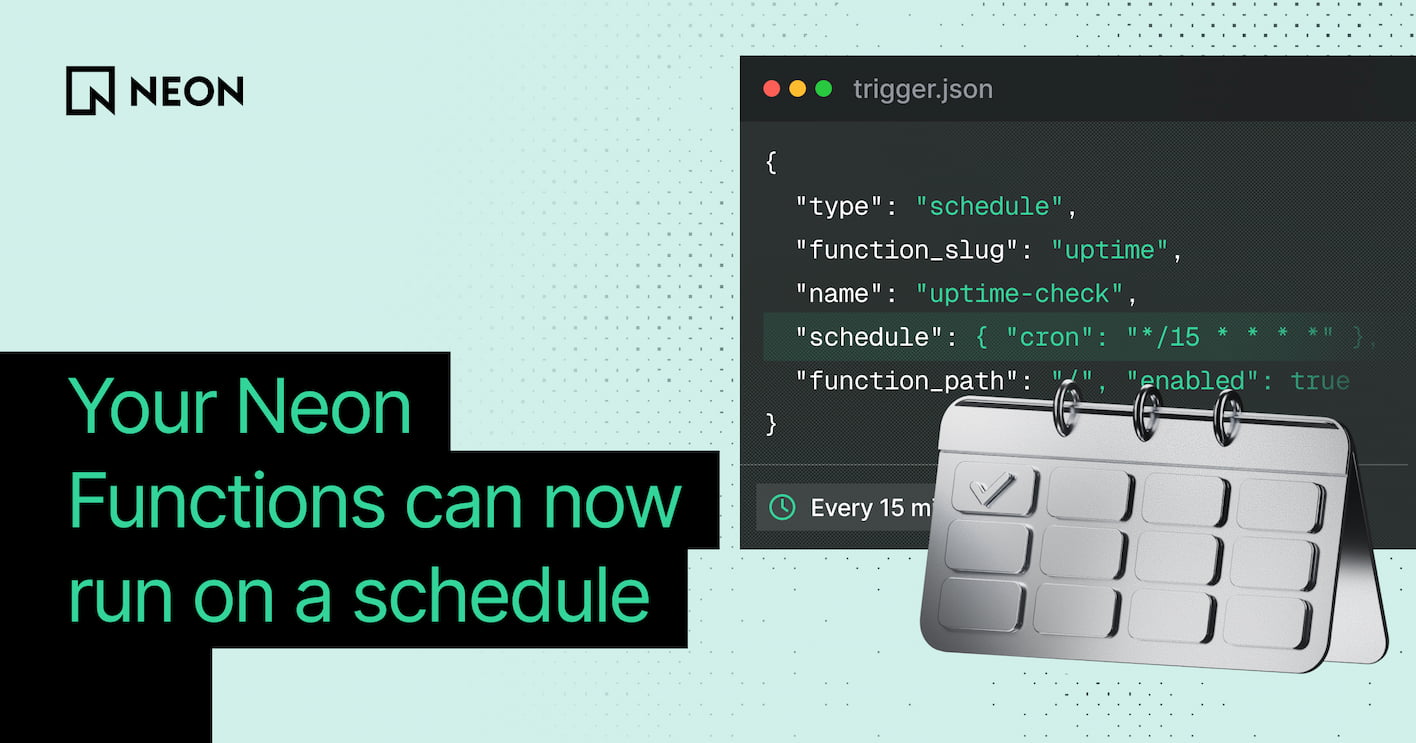
Now, with Function Triggers, this is much smoother. A Function Trigger is a branch-scoped definition that tells Neon when to invoke a deployed function. You deploy the function as usual; the trigger is what calls it. Today we're discussing the first trigger type we’ve shipped: schedule, a cron expression that is compatible with scale to zero.
When to use Neon Functions
Neon Functions are meant for backend work that starts inside Neon, or whose main job is reading and writing Neon primitives:
- If something inside Neon caused a job, or a job mostly writes to Neon, it’s a great candidate for a Neon Function
- Did a user action in your app's UI cause it, and does the response update that UI right away? In this case, keep it on your frontend host.
What you can build with a schedule
A schedule fires your function code, not SQL, so the function can do backend operations you can't do with SQL inside Postgres. Some examples:
- Enable the trigger on a long-lived staging branch and reset from parent every night
- Pull Stripe, GitHub, or another API on a nightly cadence and write into Postgres
- Find rows with an empty
embeddingcolumn, generate vectors, and write them back to Postgres - Expire Managed Better Auth sessions or delete stale unverified users in the
neon_authschema - Join Postgres to Object Storage and delete objects that no longer have a row
The schedule follows your branch
Triggers live on a branch and point to a function on that branch, the same way functions do:
- A child branch inherits its parent's triggers, but they arrive disabled and won’t run until you enable them there
- You can edit triggers on child branches, it won’t affect the parent
- Same if you delete triggers on the child branches - the parent keeps running it
So branching production for a test doesn't fire the parent's cron a second time, and enabling a trigger on the child can't reach back and affect production.
Function Triggers vs pg_cron
Postgres already has pg_cron, and Neon supports it. But pg_cron runs inside the Postgres compute: if the compute is suspended due to scale to zero, the job does not run. You would have to use it on computes that stay up 24/7 or turn scale to zero off, which is a big disadvantage. Function Triggers keep the timer outside the compute, so you can leave scale to zero on.
Pg_cron and function triggers also run different code:
pg_cronis a SQL statement or a Postgres function- Function Triggers run your JavaScript or TypeScript, which can call HTTP APIs, Object Storage, and the AI Gateway, then write back to Postgres
| pg_cron | Function Triggers | |
|---|---|---|
| Runs | A SQL statement or Postgres function | Your JavaScript or TypeScript function |
| Where | Inside the Postgres compute | On Neon's compute, next to your data |
| External APIs | No | Yes: HTTP, AI Gateway, Object Storage |
| Compute scaled to zero | Doesn't run | Runs; the invocation starts the function |
A worked example
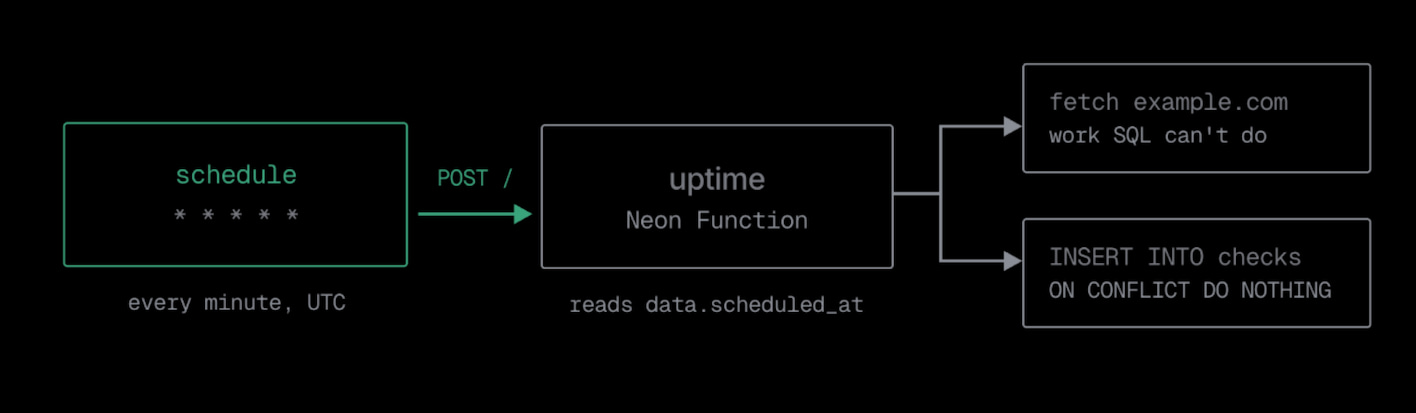
Here's a function that checks a URL and records the result. The outbound fetch is the part you can't run from SQL. The handler answers a POST, verifies that the call came from Neon's trigger system, and reads the scheduled time from data in the request body:
import { Hono } from 'hono';
import { neon } from '@neondatabase/serverless';

const app = new Hono();
const sql = neon(process.env.DATABASE_URL!);

app.post('/', async (c) => {
  if (!c.req.header('x-neon-trigger-invocation-id')) {
    return c.json({ error: 'not a trigger call' }, 403);
  }

  const { data } = await c.req.json<{ data: { scheduled_at: string } }>();
  const scheduledAt = data.scheduled_at;

  const started = performance.now();
  const res = await fetch('https://example.com', {
    signal: AbortSignal.timeout(10_000),
  });
  const latencyMs = Math.round(performance.now() - started);

  await sql`
    INSERT INTO checks (scheduled_at, status_code, latency_ms)
    VALUES (${scheduledAt}, ${res.status}, ${latencyMs})
    ON CONFLICT (scheduled_at) DO NOTHING
  `;

  return c.json({ ok: true, scheduled_at: scheduledAt, status: res.status });
});

export default app
Deploy the function, then create the trigger against your branch with the Neon API:
curl -X POST "$API/projects/$PROJECT_ID/branches/$BRANCH_ID/triggers" \
  -H "Authorization: Bearer $NEON_API_KEY" \
  -H "Content-Type: application/json" \
  -d '{
    "type": "schedule",
    "function_slug": "uptime",
    "name": "uptime-check",
    "schedule": { "cron": "*/15 * * * *" },
    "function_path": "/",
    "enabled": true
  }'
Neon now invokes the function every 15 minutes, and each run writes a row. The X-Neon-Trigger-Invocation-Id header confirms that the call came from Neon's trigger system. ON CONFLICT ... DO NOTHING keeps a repeated occurrence from creating a duplicate row.
Build it
If you've been running an external scheduler to invoke a function over HTTP, you can hand that job to Neon. To set this up with a coding agent, start from this prompt:
Create a Neon Function that <task>, then schedule it with a Function Trigger.
Docs: https://neon.com/docs/compute/functions/triggers/schedule.md

- Add one unauthenticated POST route (scheduled invocations arrive without credentials). Read `data.scheduled_at` from the JSON body; keep the handler idempotent.
- If the task uses Postgres, connect with the injected DATABASE_URL.
- Deploy it, then create a schedule trigger via the Neon API with a five-field UTC cron. Start at `* * * * *` to confirm a run, then PATCH to the real cadence.
- The route and trigger both default to `/`; set `function_path` on both if you want a different path.