---
title: Neon Auth Demo
subtitle: Learn how automatic user profile sync can simplify your auth workflow
enableTableOfContents: true
tag: beta
updatedOn: '2025-05-16T19:06:06.841Z'
redirectFrom:
- /docs/guides/neon-auth-demo
---
Get started
Neon Auth Demo App
In this tutorial, we'll walk through some user authentication flows using our [demo todos](https://github.com/neondatabase-labs/neon-auth-demo-app) application, showing how Neon Auth automatically syncs user profiles to your database, and how that can simplify your code.
## Prerequisites
Follow the readme to set up the [Neon Auth Demo App](https://github.com/neondatabase-labs/neon-auth-demo-app): Next.js + Drizzle + Stack Auth
> _Use the keys provided by Neon Auth in your project's **Auth** page rather than creating a separate Stack Auth project._
```bash
git clone https://github.com/neondatabase-labs/neon-auth-demo-app.git
```
## Instant user sync
Sign up as Bob, then as Doug in a private window.
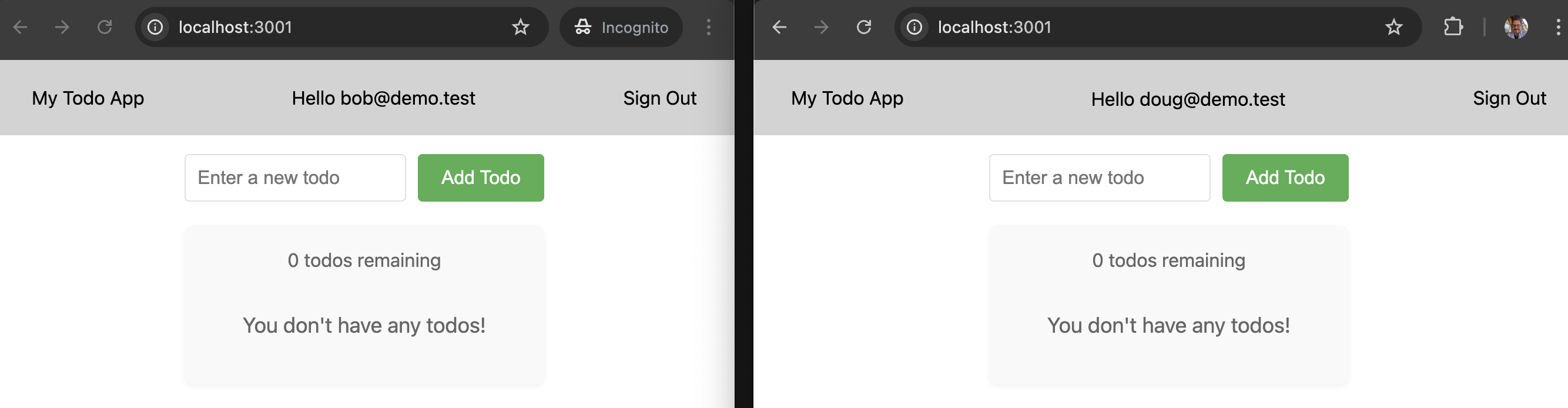
Open the Neon Console to see their profiles automatically synced:
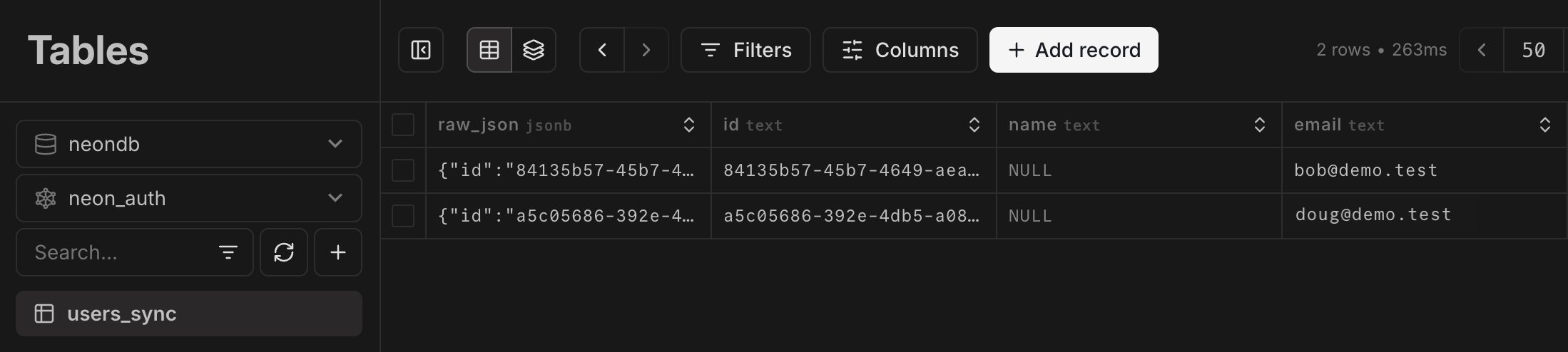
_No custom sync logic required; profiles are always up-to-date in Postgres._
## Easy user-data joins
Add a few todos as each user.
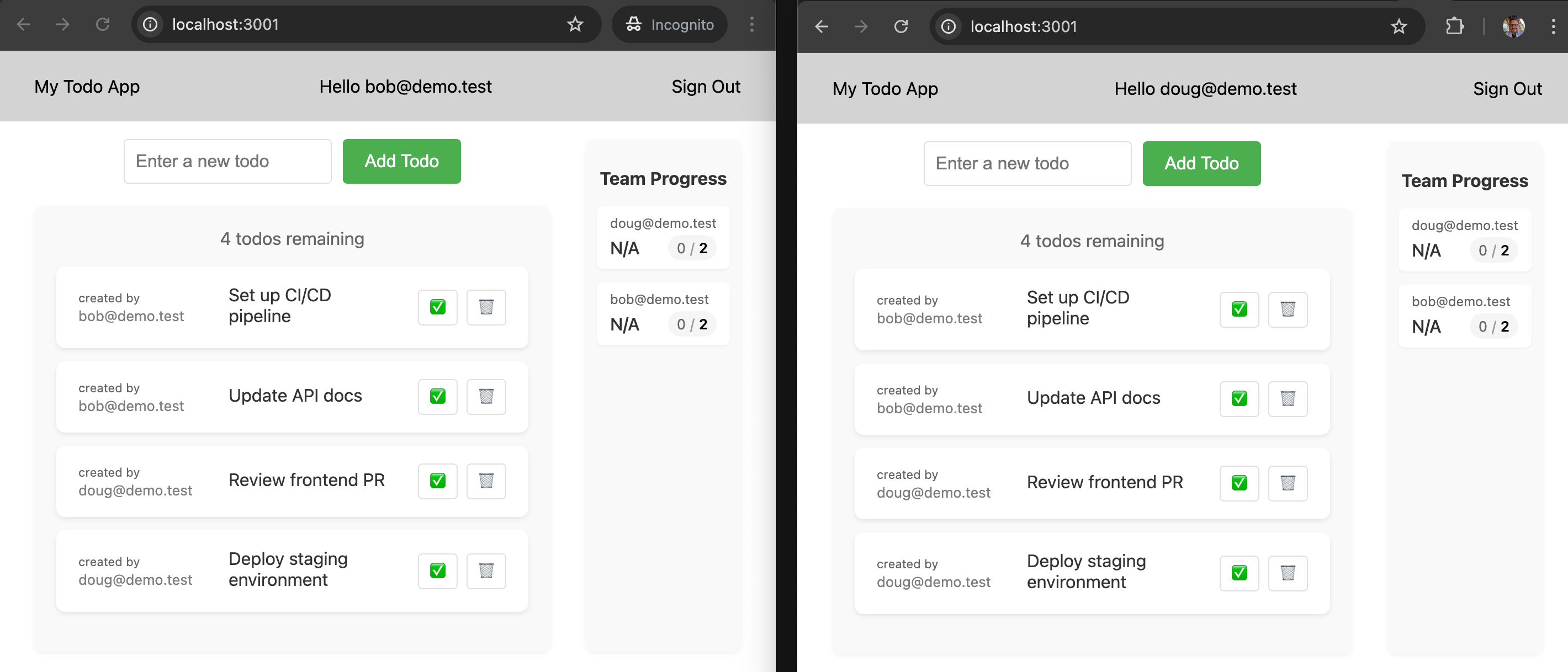
Here's the code that builds the todo list:
```ts {7-11,14,15} showLineNumbers
// app/actions.tsx
export async function getTodos() {
return fetchWithDrizzle(async (db) => {
return db
.select({
id: schema.todos.id,
task: schema.todos.task,
isComplete: schema.todos.isComplete,
insertedAt: schema.todos.insertedAt,
owner: {
id: users.id,
email: users.email,
},
})
.from(schema.todos)
.leftJoin(users, eq(schema.todos.ownerId, users.id))
.orderBy(asc(schema.todos.insertedAt));
});
}
```
Highlighted code shows:
- User email and ID included in each todo response
- Automatic join between todos and the `users_sync` table
_User data is always available for joins and queries; no extra API calls or sync logic needed._
## Collaboration and analytics
Switch between Bob and Doug's accounts to mark some todos complete - the dashboard updates in real-time.
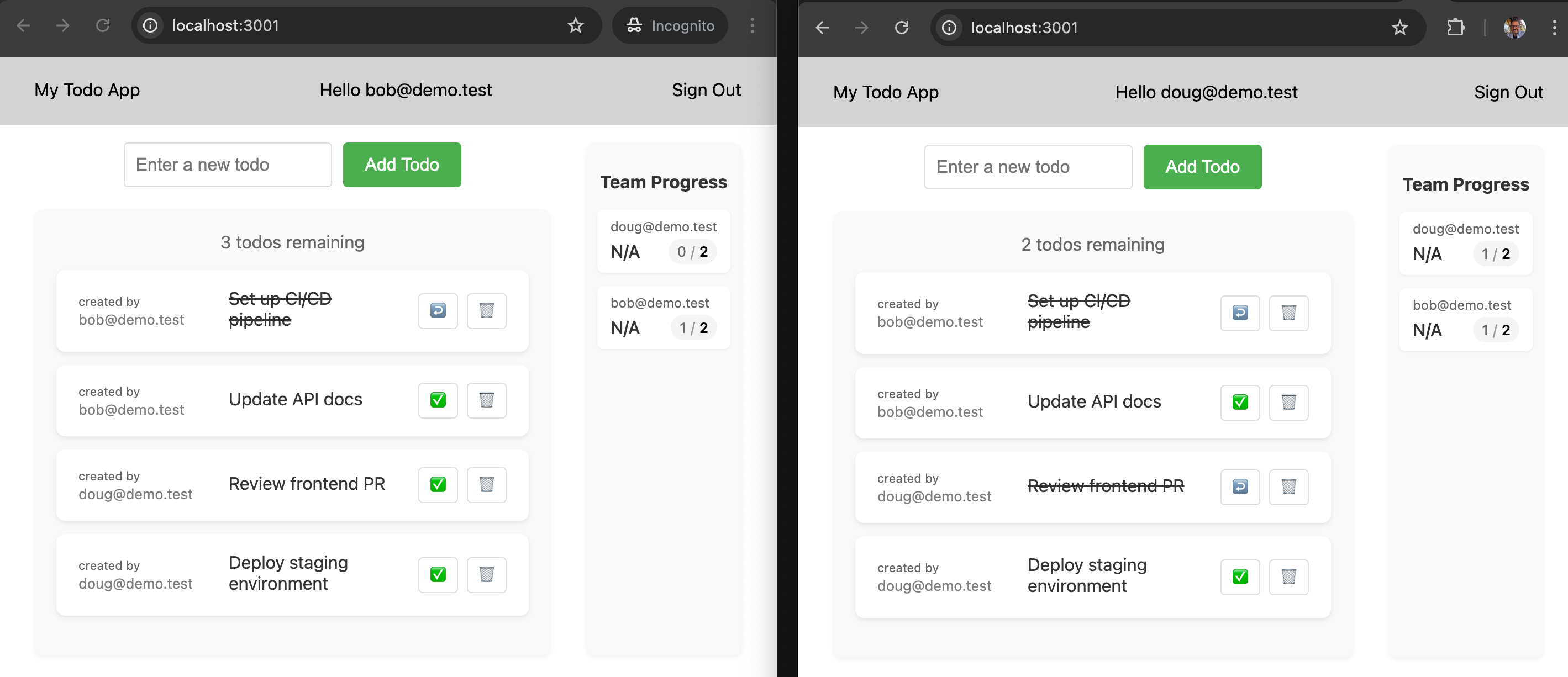
Here's the code that populates this live dashboard:
```ts showLineNumbers
// app/users-stats.tsx
async function getUserStats() {
const stats = await fetchWithDrizzle((db) =>
db
.select({
email: users.email, // [!code highlight]
name: users.name, // [!code highlight]
complete: db.$count(todos, and(eq(todos.isComplete, true), eq(todos.ownerId, users.id))),
total: db.$count(todos, eq(todos.ownerId, users.id)),
})
.from(users) // [!code highlight]
.innerJoin(todos, eq(todos.ownerId, users.id)) // [!code highlight]
.where(isNull(users.deletedAt))
.groupBy(users.email, users.name, users.id)
);
return stats;
}
```
Highlighted code shows:
- Direct access to synced user profiles
- Simple joins between app data and user data
_Build multi-user features without writing complex sync code; user data is always available and up-to-date in your database._
## Safe user deletion and data cleanup
_Let's simulate what happens when an admin deletes a user account._
To test this, delete Doug's profile directly from the database:
```sql
DELETE FROM neon_auth.users_sync WHERE email LIKE '%doug%';
```
Refresh the todo list, and... ugh, _ghost todos!_ 👻👻
_(Doug may be gone, but his todos aren't.)_
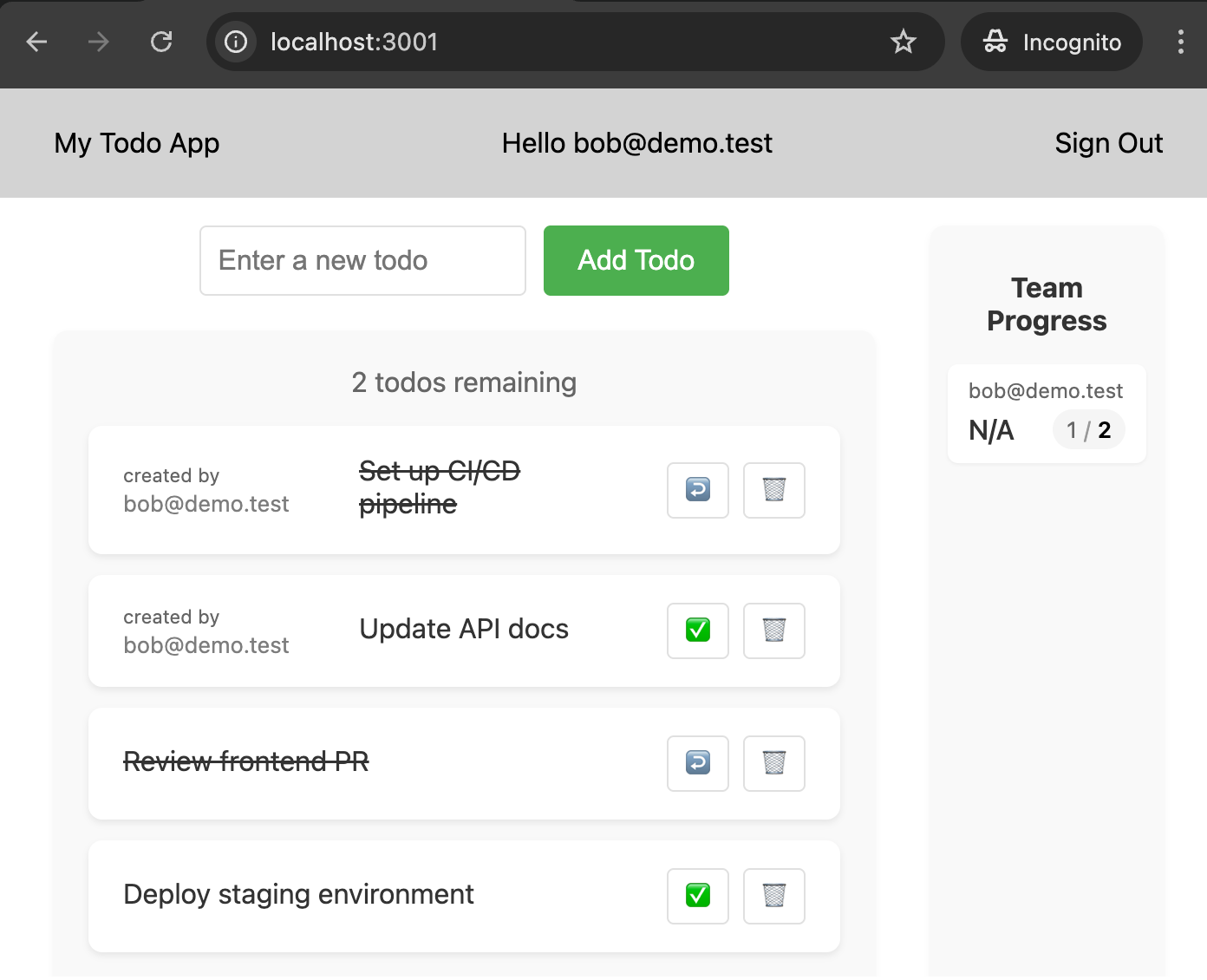
_In production, this could happen automatically when a user is deleted from your auth provider. Either way, their todos become orphaned - no owner, but still in your database._
**Why?**
The starter schema does not include `ON DELETE CASCADE`, so when a user profile is deleted (whether by admin action or auth sync), their todos are left behind. This can clutter your app and confuse your users.
## Safe user deletion and data cleanup: FIXED
_Let's prevent ghost todos with proper database constraints._
Adding foreign key contraints is a best practice we explain in more detail [here](/docs/guides/neon-auth-best-practices#foreign-keys-and-the-users_sync-table).
**Step 1: Clean up your demo**
Orphaned todos will block adding a foreign key. Use Neon's instant restore to roll back your branch:
Go to the **Restore** page in the Neon Console and roll back to a few minutes ago, before we deleted Doug.
> If you have the Neon CLI installed, you can also use:
```bash shouldWrap
> neon branches restore production ^self@ --preserve-under-name production_backup
>
```
**Step 2: Add the foreign key constraint**
```sql
ALTER TABLE todos
ADD CONSTRAINT todos_owner_id_fk
FOREIGN KEY (owner_id)
REFERENCES neon_auth.users_sync(id)
ON DELETE CASCADE;
```
**Step 3: Test it**
Delete Doug's profile again:
```sql
DELETE FROM neon_auth.users_sync WHERE email LIKE '%doug%';
```
Refresh the todo list. This time Doug's todos are automatically cleaned up!
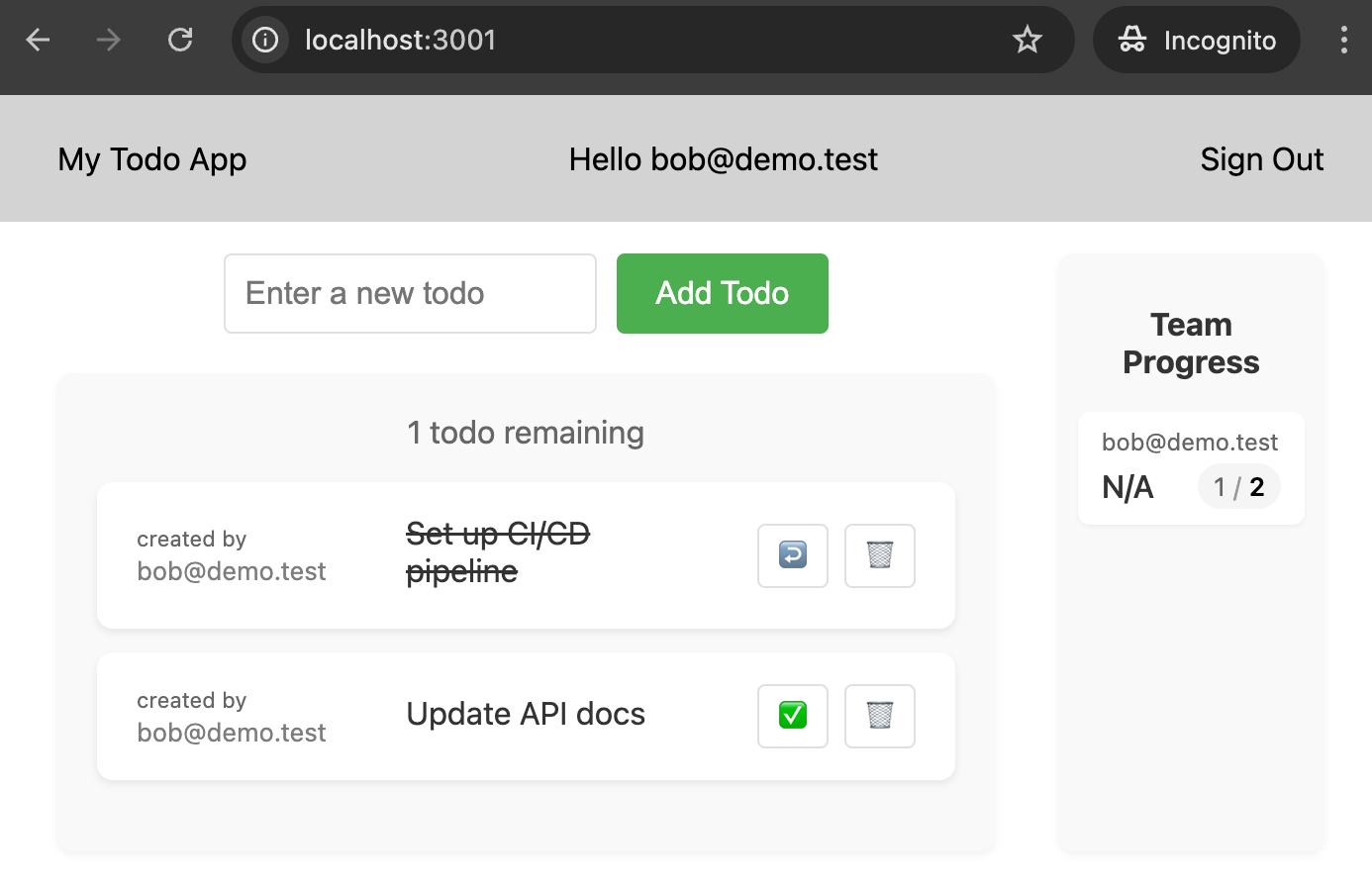
_With this constraint in place, when Neon Auth syncs a user deletion, all their todos will be cleaned up automatically._
## Recap
With Neon Auth, you get:
- ✅ Synchronized user profiles
- ✅ Efficient data queries
- ✅ Automated data cleanup (with foreign key constraints)
- ✅ Simple user data integration
Neon Auth handles user-profile synchronization, and a single foreign key takes care of cleanup.
Read more about Neon Auth in:
- [How it works](/docs/guides/neon-auth-how-it-works)
- [Get started](/docs/guides/neon-auth)