




“Neon branching fundamentally accelerates our developer experience. It’s a huge reason we’re able to ship faster without worrying about breaking things”
(Ben Vinegar, Co-founder at Modem)
If you’re a PM or even an engineer at a small startup, this will hit home:
- You’re getting user feedback, but it’s is everywhere and nowhere at the same time
- Bug reports get buried in obscure Slack channels
- Feature requests show up in customer conversations but never quite turn into an action item
- Things slip through because of the pain of keeping track of it all, and when it’s time to consolidate users’ feedback and requests to inform prioritization, there’s no clear place to look
This is the pain that Modem is set to solve.
From Noisy Conversations to Clear Product Signals
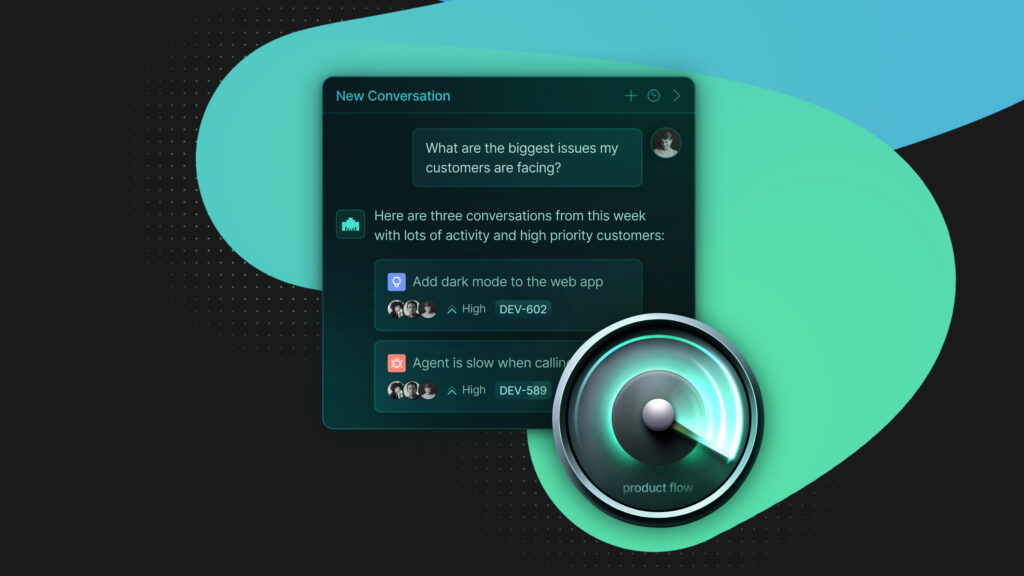
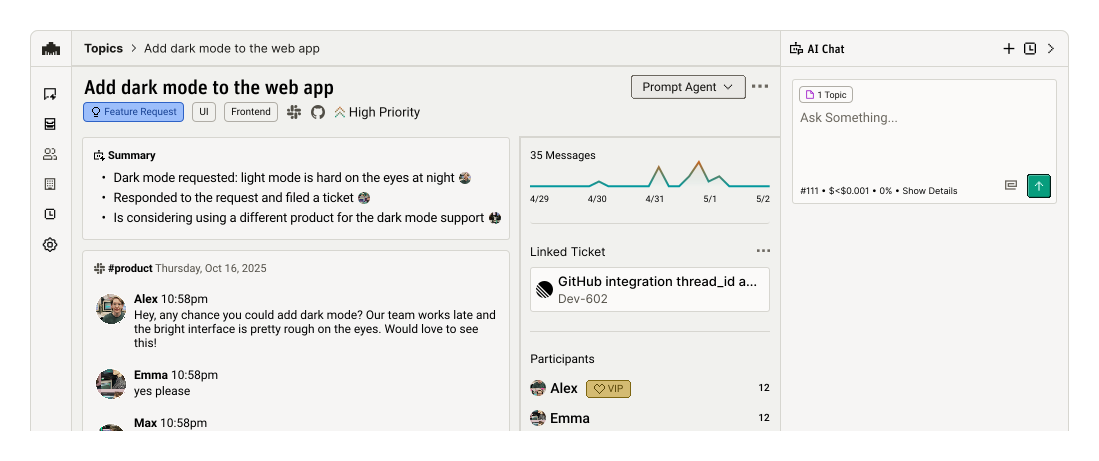
The team at Modem is building an auto-triage, AI PM – an agent that listens across all places where work happens, identifies feedback and feature requests, and turns them into organized, actionable feedback. Over time, the agent builds an internal knowledge base: when you need to know what your users are saying, you can simply ask.
The idea is to help teams with:
- Centralizing feedback. Modem connects to tools like Slack, Discord, GitHub, and everywhere where your discussions are happening, pulling in real user conversations and digesting the conclusions into an easy-to-consume format.
- Clustering raw conversations into product-level topics. The agent groups related messages into distinct topics and categorizes them (e.g. bugs, feature requests, positive signals).
- Preserving context. Each topic retains links back to the original conversations, making it easier to understand why something matters for prioritization.
- Automating follow-ups and next steps. Modem can also trigger direct follow-ups with users, create tickets, and kick off workflows.
https://twitter.com/bentlegen/status/2015885593792712733?ref_src=twsrc%5Etfw
Turning a Postgres Database into a Development Environment
When Modem first set up its database, the goal was simple: set up hosted Postgres and keep moving. They were looking for a database that stayed out of the way and thought Neon fit the bill. Neon did deliver on a smooth experience, but the Modem team also found something much more powerful – a development environment built around branching.
Neon’s branching quickly became a core part of how Modem ships software. Rather than treating the database as a scary, monolithic resource, the team started treating it the same way they treat code – something they can safely branch, test, diff, and discard.
Branch-per-PR: de-risking database migrations
The first place Modem applied branching was database migrations. This is one of the scariest parts of shipping quickly, especially when you’re heavily relying on AI coding to accelerate development speed (and who isn’t these days).
To avoid surprises, Modem put the following system in place:
- Every PR that includes a migration triggers the creation of its own Neon branch
- The migration is applied to that branch, not to production
- Neon computes and surfaces a schema diff, showing exactly what the migration would change via a comment on the PR
- The team reviews it to confirm the migration applies cleanly
Re-checking migrations at merge time
At merge time, Modem runs the same process again. Because the main branch may have advanced (with new commits or migrations landing in parallel) Modem spins up afresh branch from the latest state, applies the migration, and validates it will work on the current production database. Only if that succeeds does the migration get applied to production.
“Conflicting migrations have pretty much disappeared from our list of daily worries”
(Ben Vinegar, Co-founder at Modem)
Branch-per-preview
Vercel previews became essential for Modem’s evaluation and QA, especially once the missing piece (the database) was added to the picture.
Every Vercel preview deployment now runs against its own Neon database branch. This ensures that migrations introduced in a PR are visible in the preview environment. Previews stay realistic, while production remains completely untouched. All these branches are ephemeral by the way, with expiration times and automatic cleanups set up.
Tips From the Trenches
Combining branching with coding agents
Like most teams these days, Modem engineers constantly experiment with agentic coding. Many of their PRs are actually opened by agents working through Claude Code or internal workflows triggered from Slack and Linear, so preview environments are among the primary way changes get evaluated.
To make sure this works smoothly, rather than relying on Neon’s one-click integrations, Modem favors explicit, scriptable workflows built on the Neon CLI and automation so that agents can reason about infrastructure, with branch creation, migration application, and cleanup are all defined in code.
Navigating short-lived tokens
When branching becomes a first-class part of your workflow, some interesting edge cases come up, especially around integrations that rely on short-lived or refresh tokens (like Slack or Linear).
In a preview environment, it’s possible to refresh a token and persist it to a database branch that will later be deleted. If that refreshed token becomes the “latest” token from the integration’s point of view, production can suddenly find itself holding an invalid one.
If you’ve also encountered this issue, Modem solved it by tagging refresh tokens with the database branch that produced them. Token refreshes only occur if the current database matcheswhich makes it impossible for one environment to invalidate another by accident.
Start Building Faster (and Safer)
Modem is relying on Neon branching to move quickly without breaking things. If this sounds good for your team’s velocity as well, start building your first Neon branching workflows on the Free plan and see how far you can go.
While you're at it...
Keep an eye on Modem! Join Modem’s waitlist at https://modem.dev/ to get notified when they launch.