





Just shipped
Neon Object Storage and Neon Functions just reached GA. Object Storage is S3-compatible file storage that branches with your data; functions are long-running Node.js on the same branch and in the same region as your database. Get the full picture.
A file in a bucket is just bytes; when you upload it, there is often a job to do next with that file, and that job usually involves Postgres - a files row, a status, a thumbnail key. That is a perfect Neon Functions job; the missing piece was something to start the Function when the object appeared, without extra application code watching the bucket.
If you store the files in Neon Object Storage, you can now create a storage_object_created function trigger. It tells Neon: “when an object is created in this bucket, invoke this Function”. The Function runs next to your database and buckets, in the same region; it receives the bucket name and object key, and then does the job you wrote.
Let’s take a closer look:
How storage_object_created works
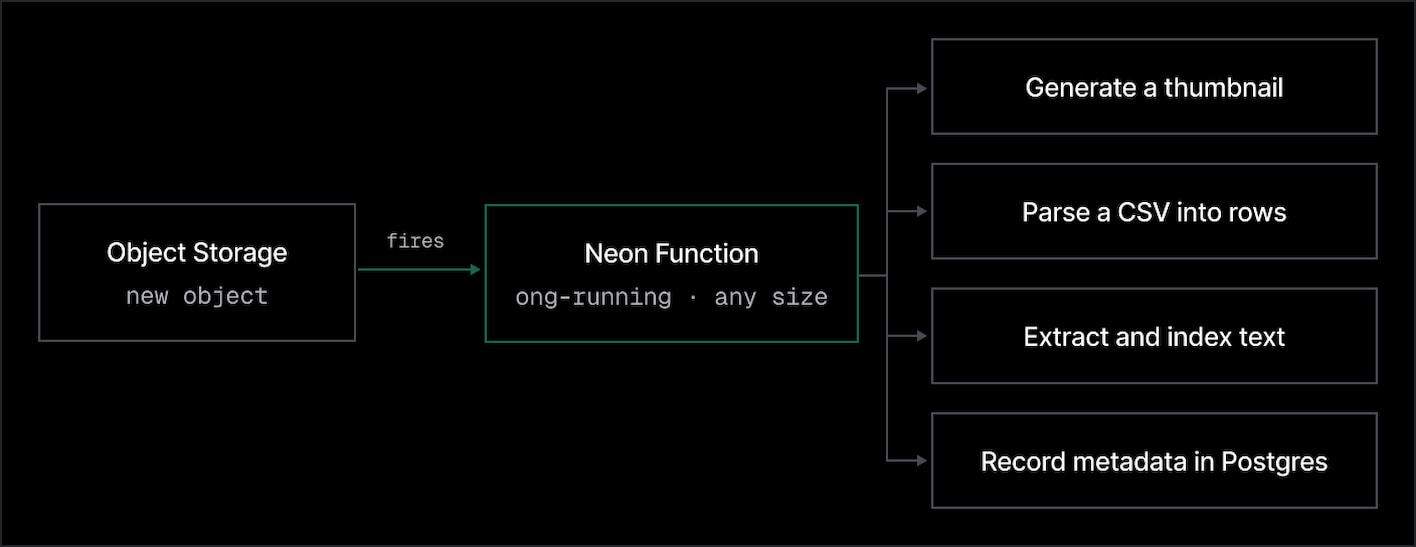
The logic is simple:
- You point the trigger at one Function and one bucket on the same branch.
- An optional key prefix limits it to a path - e.g., prefix
images/ignores objects underdocuments/. - When an object is created that matches, Neon sends the Function an HTTP
POST. You don’t keep compute running to poll the bucket.
The JSON body names the trigger and the object:
{
  "version": 1,
  "invocation_id": "abc123FUPHOw0Pl1ZooidgpJhvHaShi1aX40cQ0b321",
  "trigger": {
    "type": "storage_object_created",
    "id": "trigger-1a2b3c4d-5e6f-7890-abcd-ef1234567890",
    "name": "on-upload"
  },
  "data": {
    "bucket_name": "uploads",
    "object_key": "images/dog.jpg"
  }
}
From data.bucket_name and data.object_key, the Function can fetch the object, process it, call another service, and write results to Postgres.
Two properties worth noticing:
- Functions are long-running, so this does not have to fit a short request window. You can run jobs that take a while on the same invocation (like the examples in the next section),
- This is completely compatible with scale to zero. If the Function runtime was idle, Neon starts it when the event arrives. If it then queries a Postgres compute that has scaled to zero, that query wakes the compute.
Discover other trigger types
We also shipped schedule, another trigger type you can already use today. It runs a Function on a cron expression, compatible with scale to zero. Read the post Your Neon Functions can now run on a schedule
How to use it: a few ideas
This is a simple trigger conceptually but extremely useful in practice. These are just a few ways we’ve been using it recently, as we tested the beta:
Keep track of new files in Postgres
# Prompt you agent

Create a Neon Function that records uploads in Postgres, then trigger it on new uploads.
Docs: https://neon.com/docs/compute/functions/triggers/object-storage.md

- One unauthenticated POST route. Read data.bucket_name and data.object_key; keep it idempotent.
- Upsert a row into a `files` table (bucket, object_key, status) using the injected DATABASE_URL.
- Deploy it, then create a storage_object_created trigger on the "uploads" bucket. Upload a file to confirm a row appears.
The smallest useful pipeline is a catalog: the object lives in the bucket, and the rest of your app needs to know it exists. You can define a trigger so on each create, the Function inserts a row: bucket, object key, maybe a status. From then on, you query Postgres instead of listing the bucket.
Generate derived images
# Prompt your agent

Create a Neon Function that makes web-ready image variants, then trigger it on new uploads.
Docs: https://neon.com/docs/compute/functions/triggers/object-storage.md

- One unauthenticated POST route. Read data.bucket_name and data.object_key; keep it idempotent.
- Fetch the object, produce a WebP thumbnail and a full-size variant, write them under processed/ in the same bucket, and record the derived keys in Postgres.
- Deploy it, then create a storage_object_created trigger scoped to the prefix "originals/" so it doesn't process its own output.
An uploaded image rarely has the exact format and dimensions every part of an application needs. You could define a function that:
- Resizes the original into thumbnail, card, and full-size variants
- Converts PNG or JPEG uploads to WebP
- Detects and blurs faces before making an image available
- Saves the derived files back to Object Storage and record their keys in Postgres
Use a key prefix to keep the pipeline bounded. A trigger that watches originals/ can write results to processed/ without invoking itself again.
Add AI-generated metadata
#Prompt your agent

Create a Neon Function that describes and tags uploaded images, then trigger it on new uploads.
Docs: https://neon.com/docs/compute/functions/triggers/object-storage.md

- One unauthenticated POST route. Read data.bucket_name and data.object_key; keep it idempotent.
- Fetch the image, call the Neon AI Gateway to generate alt text and a few tags, and write them to the file row in Postgres.
- Deploy it, then create a storage_object_created trigger on the bucket. Upload an image and check the row for alt text and tags.
The function could also send an uploaded image through Neon AI Gateway, generate alt text, and save that text next to the file's metadata in Postgres. It can also tag or categorize the upload. Once those tags are columns or rows, the app can ask for every file tagged dog without scanning the bucket.
Turn documents and audio into searchable data
# Prompt your agent

Create a Neon Function that makes uploaded PDFs searchable, then trigger it on new uploads.
Docs: https://neon.com/docs/compute/functions/triggers/object-storage.md

- One unauthenticated POST route. Read data.bucket_name and data.object_key; keep it idempotent.
- Fetch the PDF, extract and chunk the text, embed each chunk via the Neon AI Gateway, and write chunks + vectors to Postgres for Lakebase Search.
- Deploy it, then create a storage_object_created trigger scoped to the prefix "docs/".
For a PDF, the Function can extract the text, split it into chunks, generate embeddings through the AI Gateway, and write the chunks and vectors to Postgres. Lakebase Search then queries those embeddings for semantic or hybrid search. For an audio upload, it can transcribe the recording and save the transcript, ready to index or attach to the object.
Moderate and redact uploads
# Prompt your agent

Create a Neon Function that moderates uploads, then trigger it on new uploads.
Docs: https://neon.com/docs/compute/functions/triggers/object-storage.md

- One unauthenticated POST route. Read data.bucket_name and data.object_key; keep it idempotent.
- Fetch the object, run moderation, and if it violates policy, delete or move it to a quarantine prefix and log the decision in Postgres.
- Deploy it, then create a storage_object_created trigger on the "incoming/" prefix of a private bucket.
Run content moderation as soon as a file arrives. If it violates your service policies, the function can quarantine or delete it and record the decision in Postgres.
The function could also redact names, Social Security numbers, and email addresses from uploaded documents, or blur faces in images for privacy requirements. Keep unreviewed uploads in a private bucket or prefix while processing. An object-created trigger runs after the object is created, so it should not be treated as a gate that prevents the original upload from landing.
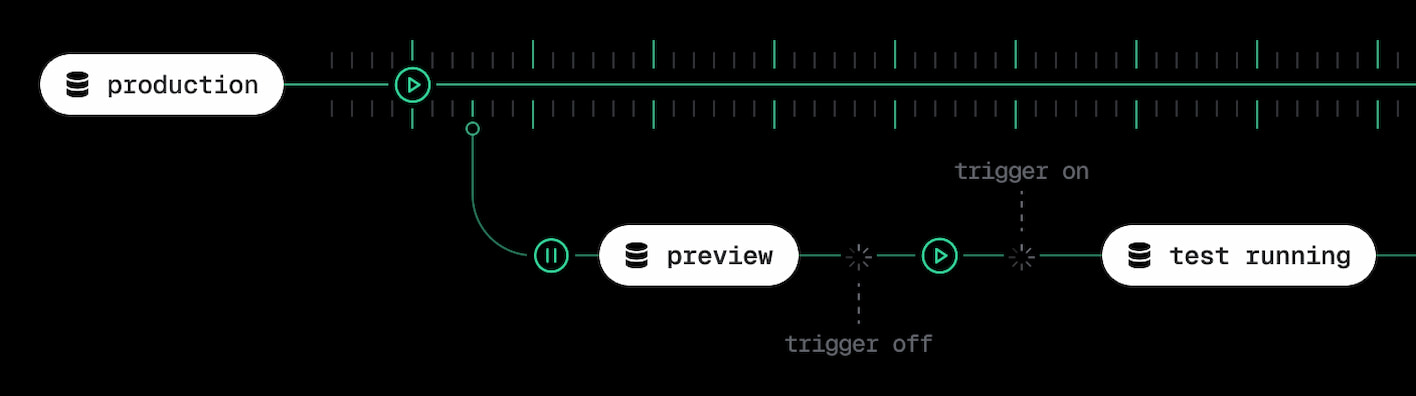
As everything in the Neon backend, triggers can branch
The entire Neon backend is branch-scoped; of course this includes Object Storage, Functions, and Function Triggers.
A child branch gets its own view of the bucket and its objects, its own function URL, and an inherited copy of the trigger. But inherited triggers are disabled on the child by default; this prevents a dev branch from processing the same inherited files again as soon as it is created.
If you want to test the upload pipeline, enable the trigger in that test branch. All test uploads and the resulting Postgres writes will then stay on the child, without changing the parent.
Start building
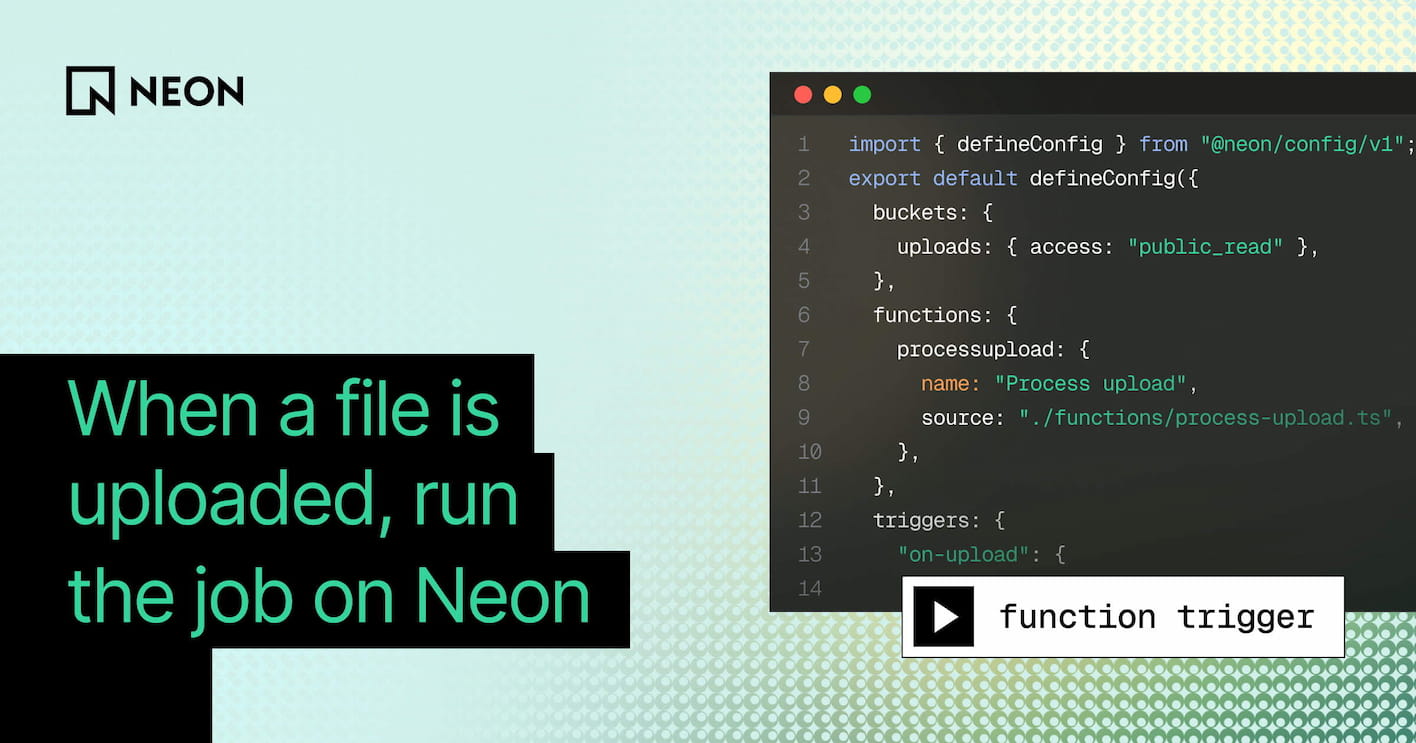
If you’re setting this up by hand, the cleanest path is config as code - one neon.ts file can declares the bucket, the Function, and the trigger together, and neon deploy provisions all three:
import { defineConfig } from "@neon/config/v1";

export default defineConfig({
  buckets: {
    uploads: { access: "public_read" },
  },
  functions: {
    processupload: {
      name: "Process upload",
      source: "./functions/process-upload.ts",
    },
  },
  triggers: {
    "on-upload": {
      type: "storage_object_created",
      function: "processupload",
      bucket: "uploads",
    },
  },
});
Everything branches together from here. Create a branch and the child gets its own bucket, its own Function, and an inherited copy of the trigger, ready to enable when you want to test.
The fastest way to start is to hand the job to your agent. Pick one of the prompts above, point it at our docs, and build your first pipeline.