




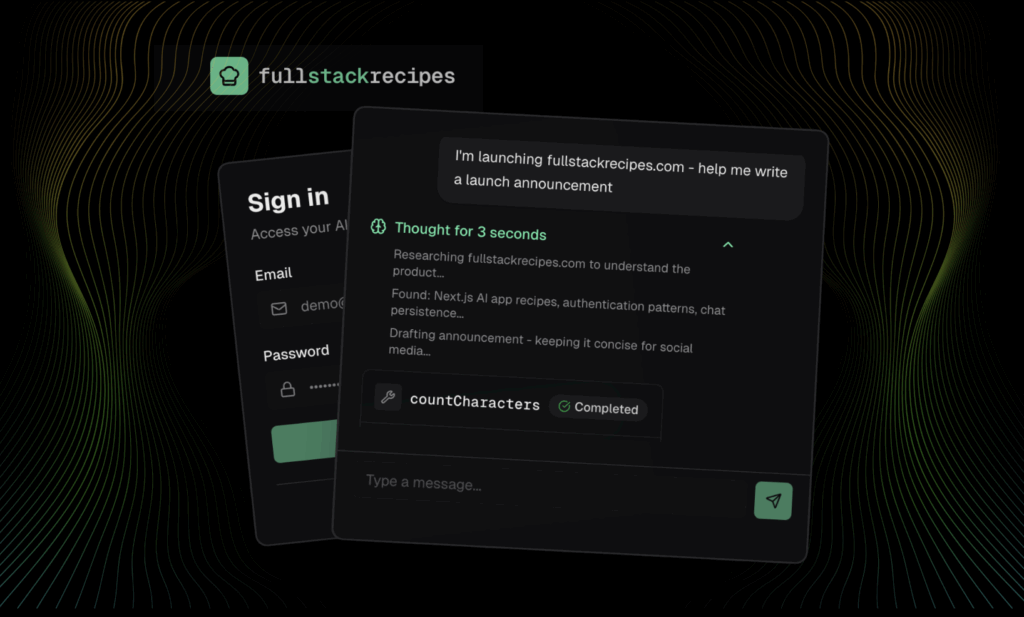
A collection of recipes for full-stack setups
We built https://fullstackrecipes.com/ as a substitute for traditional starter templates: instead of cloning boilerplate and starting over, it turns common full-stack setups into reusable, copy-pastable recipes that AI coding agents can apply to existing codebases.
Looking back at 2025, AI changed coding for good. Early in the year, skepticism around AI-assisted coding was still high and capabilities were limited. Now it’s clear that vibe coding has gone mainstream, and AI-assisted coding is the future of software engineering.
That said, we’re still scratching the surface and slowly figuring out best practices and processes for getting the most out of AI agents.
State of AI-Assisted Development
MCP has clearly pulled ahead of A2A and other protocols and has become the dominant way to connect third-party services like Neon, Sentry, and Vercel to your coding agent, so it can access context and tools across environments like Cursor, Claude Code, and Copilot.
Neon's MCP
Neon too has an MCP server. Check out the docs.
Anthropic introduced Agent Skills in Claude Code as a way to give agents persistent, reusable instructions. Skills are always available to the agent and describe how to work with specific patterns, services, or conventions. They go beyond one-off prompts and help shape an agent’s behavior across an entire project. Cursor has since added support for Skills as well.
Anthropic also introduced Plugins in Claude Code as a distribution mechanism. Plugins bundle MCP servers, resources, and skills into a single installable package. This makes it possible to share not just tools (via MCP), but also the instructions and context an agent needs to use them correctly.
At the same time, many teams still rely on agent.md files, Cursor rules, and custom docs/ or rules/ folders to guide their agents. As a result, we’re still collectively figuring out how to best enhance an agent’s baseline capabilities with custom instructions, shared context, and long-lived rules and how to package and distribute those effectively.
Neon's AI rules
We also worked on a collection of rules and prompts to give AI the right context about Neon. Check them out.
These are really exciting times though! Agents open up new opportunities to avoid repetitive work, speed up development, and get more done. One area I’m particularly excited about is how AI will change starter templates.
The Problem with Starter Templates
Starter templates are a great way to get up and running with a project boilerplate that already handles the initial wiring. Setting up Neon, Vercel, Sentry, Tailwind, Drizzle, shadcn/ui, the AI SDK, WDK, and bun for the 100th time for your next side project just isn’t that fun. Many devs maintain their own starter templates for exactly this reason: they want to start from an opinionated baseline without having to manually copy-paste over existing patterns and features from existing side projects and codebases.
There are also excellent public templates and stacks if you don’t have your own. The Vercel template ecosystem has plenty of options, create-t3-app (and its variants) is still popular, and Kent C. Dodds has been maintaining the Epic Stack for years now. And of course, there are many more.
But here’s the common gap: what if you already started a project and now want help wiring up a new service or package? Or, what if you want to update to the latest version of a template?
Say you started with the Epic Stack, but later decide you want to add the AI SDK and AI Elements for an agent chat. Now it’s less clear how to continue. You can follow docs step-by-step, or find a starter template to copy snippets from, but you usually won’t find a solution that cleanly adds just what you need into your existing app.
Prompting your agent might work for popular libraries, but it can still take a lot of hand-holding, like telling it which version to install, avoiding deprecated APIs, and matching your project’s structure and conventions.
The Opportunity with AI
I think starter templates and boilerplates will remain popular but they’ll be augmented with something new: reusable instructions that can be applied to existing codebases.
Working with coding agents, we know have these new building blocks to work with:
- Prompts to implement a feature, with context and resources to guide an agent
- Skills & rule files that teach an agent how to work with a feature, pattern, service, or codebase conventions
- MCP servers & plugins to integrate with third-party services and distribute skills, prompts, and resources
To see how we can utilize these building blocks, it’s worth learning from shadcn/ui.
Learning from shadcn
shadcn/ui. has revolutionized how we think about UI component libraries: instead of installing a package of components, you own the code and copy the building blocks directly into your codebase. To automate the copy & pasting, we can further use the shadcn CLI:
npx shadcn@latest add [component]On top of that, shadcn/ui pairs these copy-pastable components with high-quality documentation and practical guides for common patterns, such as theming and dark mode. This combination of ownership, composability, and clear setup instructions is a great model for how starter templates could evolve in an AI-assisted world.
How Starter Kits May Look in the Future
Instead of sharing starter templates only as GitHub repos to clone or npx create-* commands with a few options, I think starter kits will move closer to what shadcn offers for UI components: reusable code via a registry, plus strong setup guides and usage skills for common patterns. I assume starter templates will still exist but are enhanced with the new available building blocks and tools.
A starter kit in 2026 might look like this:
- Starter template (same as always): GitHub repository with starter boilerplate code
- Reusable prompts: one or more setup guides that include the code and instructions to add template features to an existing codebase (or recreate the template from scratch)
- Reusable skills: one or more skills that teach the agent how to work with the provided code and conventions
- Integration: MCP server / Claude Code plugin that bundles prompts, resources, and skills so these reusable instructions can be installed instead of copy-pasted
What I Learned from Building fullstackrecipes.com
This is where fullstackrecipes.com comes in.
After running into the same setup friction over and over again, I built fullstackrecipes.com primarily for myself to avoid starting from scratch and rewiring the same pieces in every new project. I love my Neon and Drizzles setup but I really don’t want to wire up the same setup for every new project.
Full Stack Recipes follows the shadcn philosophy of copy-pastable code, but pushes reusable setup instructions into the center. Instead of only maintaining starter templates (which I still do), I extracted the features and patterns I repeat across projects into focused setup recipes. Each recipe can be copied as Markdown and pasted directly into an AI agent, essentially turning my personal boilerplate into reusable prompts.
Example: Neon + Drizzle setup
Let’s walk through an example. Say I want to add Neon to my project and set it up with Drizzle for my Next.js app on Vercel. This is my default stack, so I created a recipe for it: Neon + Drizzle Setup.
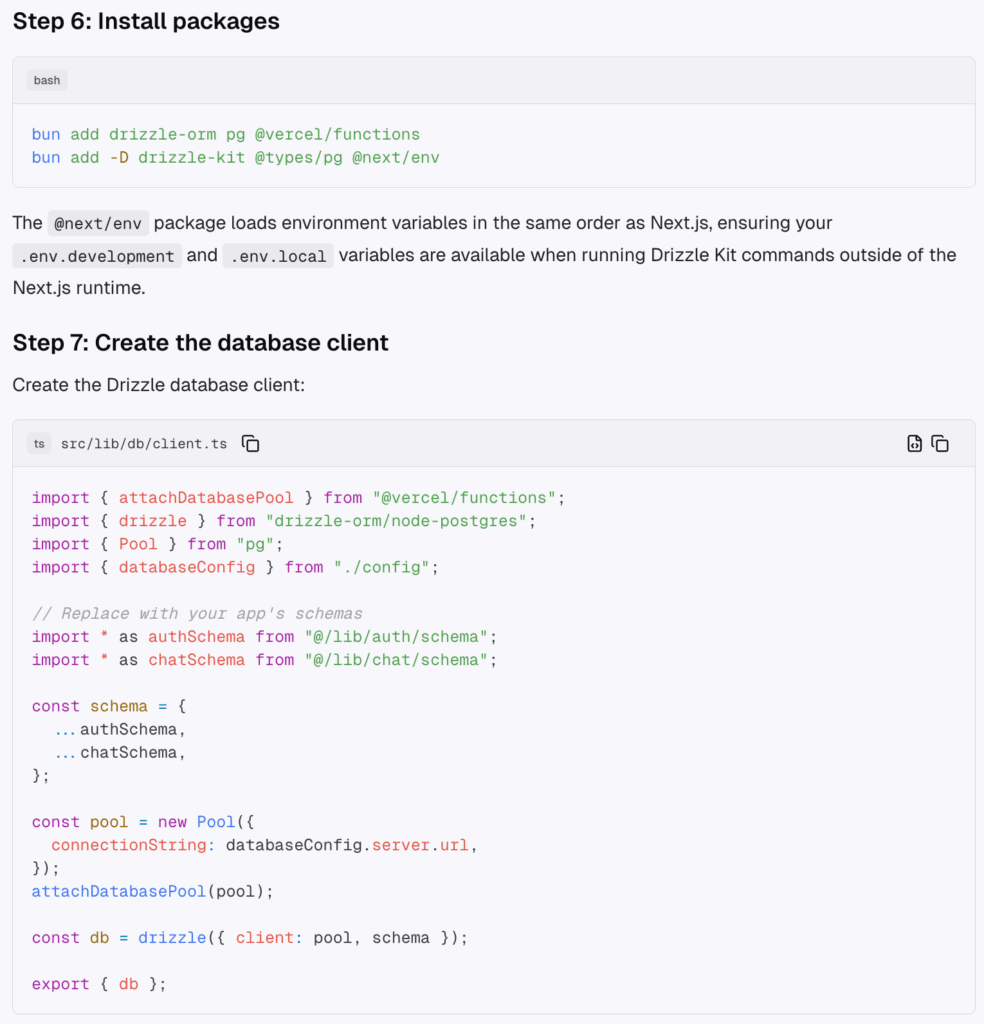
The recipe includes step-by-step setup instructions: installing the required packages, adding the necessary code, and explaining structural decisions along the way. The agent’s job is simple: follow the steps and apply the changes.
You might ask: why not just prompt an agent to “add Drizzle ORM with Neon”?
If you do that today, the agent will very likely set up Drizzle using Neon’s serverless driver, as shown in this Neon Drizzle guide. That setup has been the default for a long time and is heavily represented in training data.
However, my apps run on Vercel, and Vercel’s Fluid Compute now supports database connection pooling across incoming requests. Because of that, I prefer using node-postgres instead of Neon’s serverless driver. The serverless driver still shines in environments without connection pooling, but on Vercel with Fluid Compute, it’s great to reach for the standard node-postgres package instead. I wrote more about this in a tweet thread if you want to dig deeper.
This is exactly why custom, reusable setup instructions are so valuable. They let us encode stack-specific decisions and domain knowledge into Markdown that agents can reliably follow without having to re-explain the same context to every new coding agent across all your projects.
Working with reusable prompts
fullstackrecipes.com is my organized collection of reusable prompts. It includes setup instructions like the Neon + Drizzle recipe, but also “skills” that teach coding agents how to work with patterns once they’re implemented. For example, I documented how I like to manage environment variables with Vercel in this skill recipe.
I try to keep each recipe atomic, and then bundle related recipes into cookbooks. That gives me a nice workflow:
- Share single recipes online (“this is how I set up Neon on Vercel”)
- Use cookbooks when I want a larger bundle applied in the right sequence
How to handle recipe dependencies
As you may have noticed that the Neon + Drizzle Setup recipe starts by listing a prerequisite.
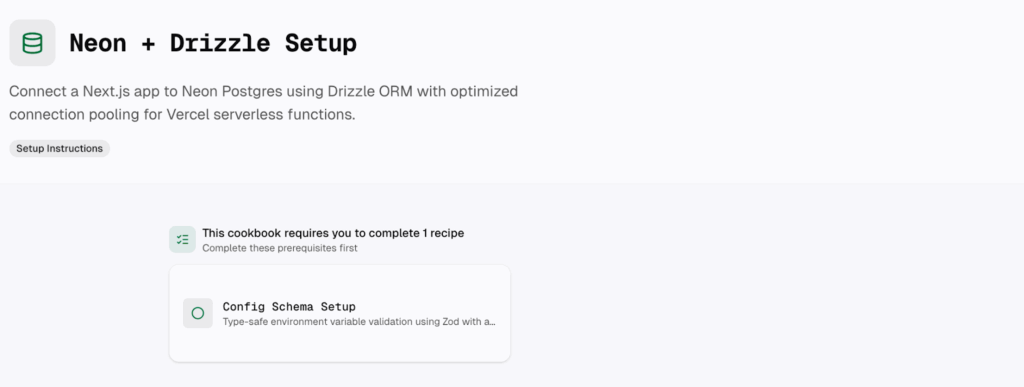
The database setup recipe depends on a custom utility I use for environment variable management. Since the Neon + Drizzle setup introduces a DATABASE_URL environment variable, I want to rely on that shared utility instead of re-implementing env handling logic in every recipe. That utility lives in its own atomic recipe (the config schema setup recipe), which makes the Neon + Drizzle recipe a clear example of one recipe depending on another.
This pattern shows why treating setup instructions as composable building blocks works so well. Some recipes introduce shared infrastructure or conventions, while others build on top of them. By declaring dependencies up front, an agent knows exactly what needs to be in place before applying a recipe.
Instead of copying a large starter template every time, I can now compose the setup I want by applying the right recipes in the right order. Cookbooks help even more here: they bundle multiple dependent recipes together and provide a start-to-finish sequence of instructions that can be copied and pasted into a coding agent in one go.
Authoring Recipes
Writing good recipes requires attention to detail. After all, they are meant to become the source of truth for your coding agents. That said, extracting a recipe from an existing codebase is surprisingly straightforward. A prompt like:
Review how we manage environment variables in this codebase and draft step-by-step setup instructions that include all relevant code one-to-one from the codebase in a Markdown file named
config-setup.md
usually produces a strong first draft.
From there, the recipe can be refined with additional context, rationale for decisions, and small clarifications. Authoring recipes turns your favorite patterns, utilities, and features into reusable setup instructions that agents can reliably follow.
How to serve recipes to your coding agent
As mentioned earlier, it’s useful to distinguish between setup instruction prompts and skills. Setup instructions are typically one-off guides that add code and configuration. Skills, on the other hand, teach an agent how to work with an implemented feature or pattern over time.
Setup instructions: markdown and MCP resources
For setup instructions, simply copy-pasting recipes (or entire cookbooks) as Markdown works very well. It gives the agent everything it needs in a single prompt and is easy to reason about.
To make discovery and reuse easier, Full Stack Recipes also offers an MCP-based way to access recipes directly.
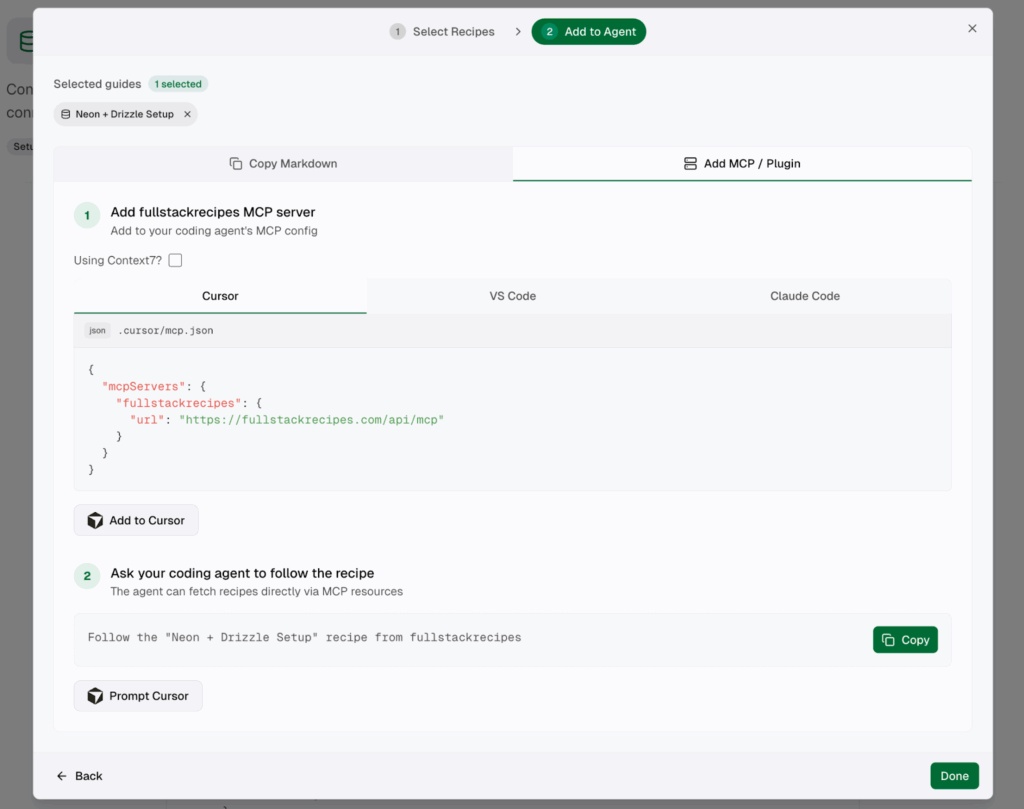
I’m still experimenting with the ideal model here, but the current approach looks like this:
- Each recipe is exposed as an MCP resource that an agent can inspect
- Each recipe also has a one-line MCP prompt (slash command) that points the agent to the correct resource and tells it to get started
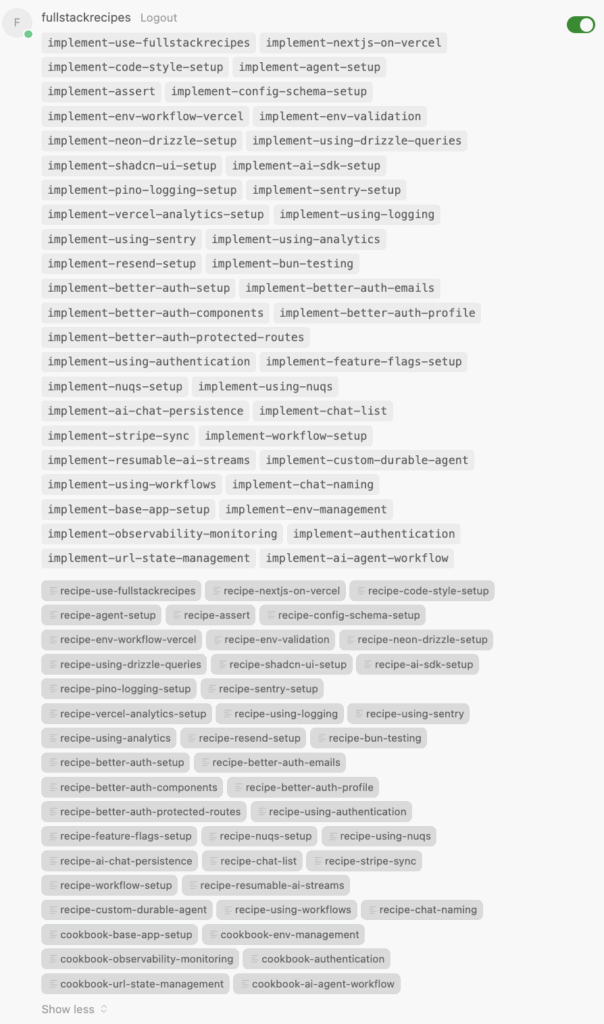
The MCP server allows the agent to look up recipes on demand. For example, if the agent detects that a prerequisite pattern is required, it can retrieve the associated resource on the fly. Otherwise, with the current setup, serving recipes via MCP is not fundamentally different from copy-pasting Markdown. It mainly improves discoverability and reuse rather than changing how setup instructions work.
Skills: long-lived agent context
Skills are different as they’re not one-off prompts. They describe how an agent should work with a feature or pattern after it’s been set up, and you usually want them available continuously as part of the agent’s context.
MCP doesn’t offer a great way to serve skills yet. However, at least in Claude Code, we have plugins which allow us to bundle skill files. It’s important to note that skill files are always part of the agent’s context making them very powerful but also dangerous as they may bloat context usage. That’s why it’s important to keep skill recipes short and sweet.
Claude Code plugins for skills
Claude Code plugins allow bundling an MCP server together with skill files into a single installable unit. That makes them a good fit for distributing long-lived agent knowledge.
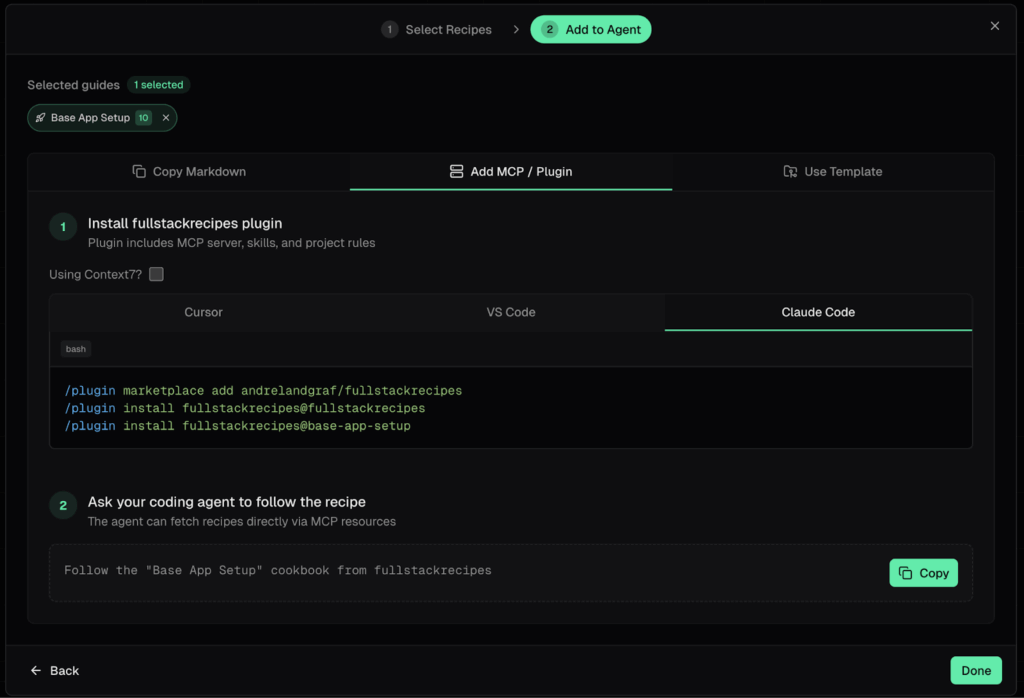
My current approach is to make each cookbook available as a standalone plugin. Each plugin:
- Bundles the MCP server for accessing all recipes
- Includes skill files for the skill recipes that belong to that cookbook
Setup instruction recipes are intentionally not converted into skills to avoid bloating the agent’s context. Instead, each skill file is a lightweight pointer: a one-liner that references the correct MCP resource. This makes the agent aware that the knowledge exists, while allowing it to fetch the full recipe only when needed.
I also decided against shipping one giant plugin. Smaller, cookbook-specific plugins let me control which skills are included for a given project and keep agent context focused and relevant.
Summary
Coding agents allow us to automate and enhance almost every part of software development, including how we think about starter templates and boilerplate.
Instead of maintaining only full starter templates, we can now break our setup and patterns into reusable instructions using the tools we now have available for AI-assisted development:
- Prompts are used for atomic setup recipes that install packages, add code, and wire features into an existing codebase.
- Skills encode long-lived guidance for how an agent should work with a pattern, service, or architectural decision after it has been set up.
- MCP servers expose recipes as resources and entry points that agents can discover and apply programmatically.
- Claude Code plugins bundle MCP servers and skills together, making these reusable instructions installable and persistent within a project.
Full Stack Recipes is built around this idea. It combines the shadcn philosophy of sharing copy-pastable code with the ability of modern AI agents to follow structured, step-by-step recipes. Instead of cloning a boilerplate and starting over, you can compose your stack incrementally and apply the exact setup and skills you need, when you need them.
AI-enable development allows us to evolve starter templates into something more flexible, more reusable, and I’m very excited to see how this space will evolve in 2026.